
Download Adblock Plus – ad blocker, Android, mobile, free, utility, secure, latest version, update, PC software, desktop application
Overview
Adblock Plus is an Android utility designed to block advertisements across the operating system, offering users a cleaner and less intrusive mobile experience. The software targets individuals seeking to eliminate ads from apps and web content, particularly those who value privacy and uninterrupted browsing. While originally known for its acclaimed desktop browser extension, Adblock Plus extends its ad-blocking capabilities to Android devices, though with notable limitations.
The developer, Eyeo GmbH, is recognized for its work in digital privacy and ad-blocking technologies, bringing a level of credibility to the product. However, the mobile version does not fully replicate the desktop experience. The software operates through a system-level proxy, which allows it to intercept and block ads at the network level.
This functionality is especially useful for users who want ad-free access to apps and websites without relying on individual app settings. The tool is most beneficial for Android users who prioritize a distraction-free environment but must consider its restrictions, such as the need for root access to block ads on mobile data.
Key Features & Capabilities
- System-wide ad blocking – Adblock Plus blocks ads across apps and websites by intercepting network traffic at the system level, providing broad coverage.
- Wi-Fi and mobile data support (root required) – On rooted devices, ads can be blocked on both Wi-Fi and mobile data. Non-rooted devices are limited to Wi-Fi only.
- Proxy-based filtering – The software uses a local proxy to filter content, allowing real-time ad detection and blocking.
- Filter list management – Users can select from multiple ad-blocking filter lists to customize the blocking behavior.
- Automatic updates – The app includes an update mechanism to ensure filter lists and core functionality remain current.
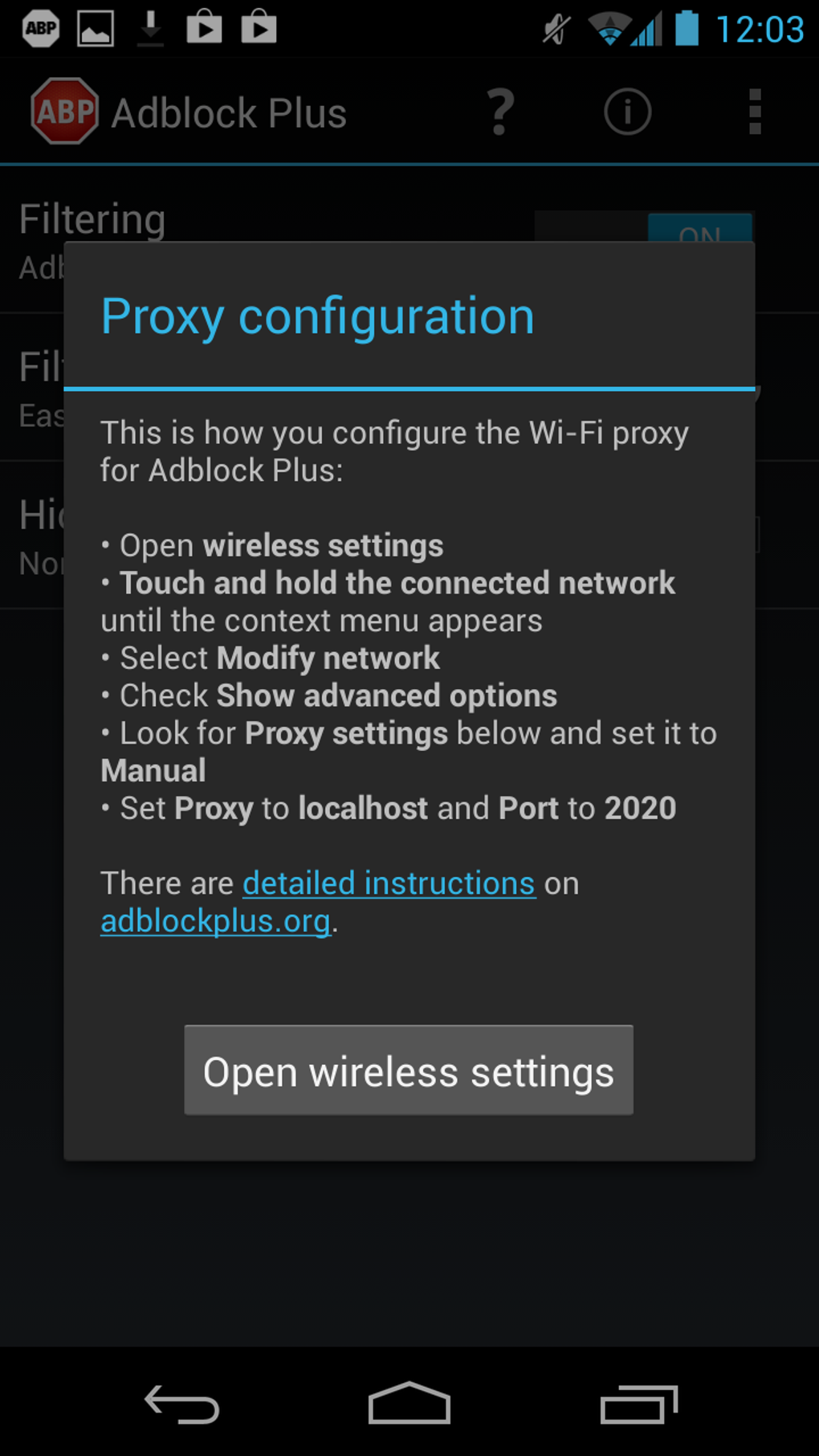
- Manual proxy configuration support – For devices where automatic setup fails, the app provides a guided dialog to assist with manual setup.
These features enable users to reduce visual clutter and improve loading times in apps and browsers. For example, users can prevent banner ads in news apps or video ads in streaming services. However, the effectiveness varies—some apps still display ads despite configuration.
The software’s ability to block ads in browsers is consistent, but real-world performance in third-party apps may be inconsistent. The lack of granular control, such as allowing ads in specific apps, limits customization. The developer has addressed several technical issues in recent updates, including proxy failures after reboot and filter list update errors, improving overall reliability.
User Interface, Workflow & Performance
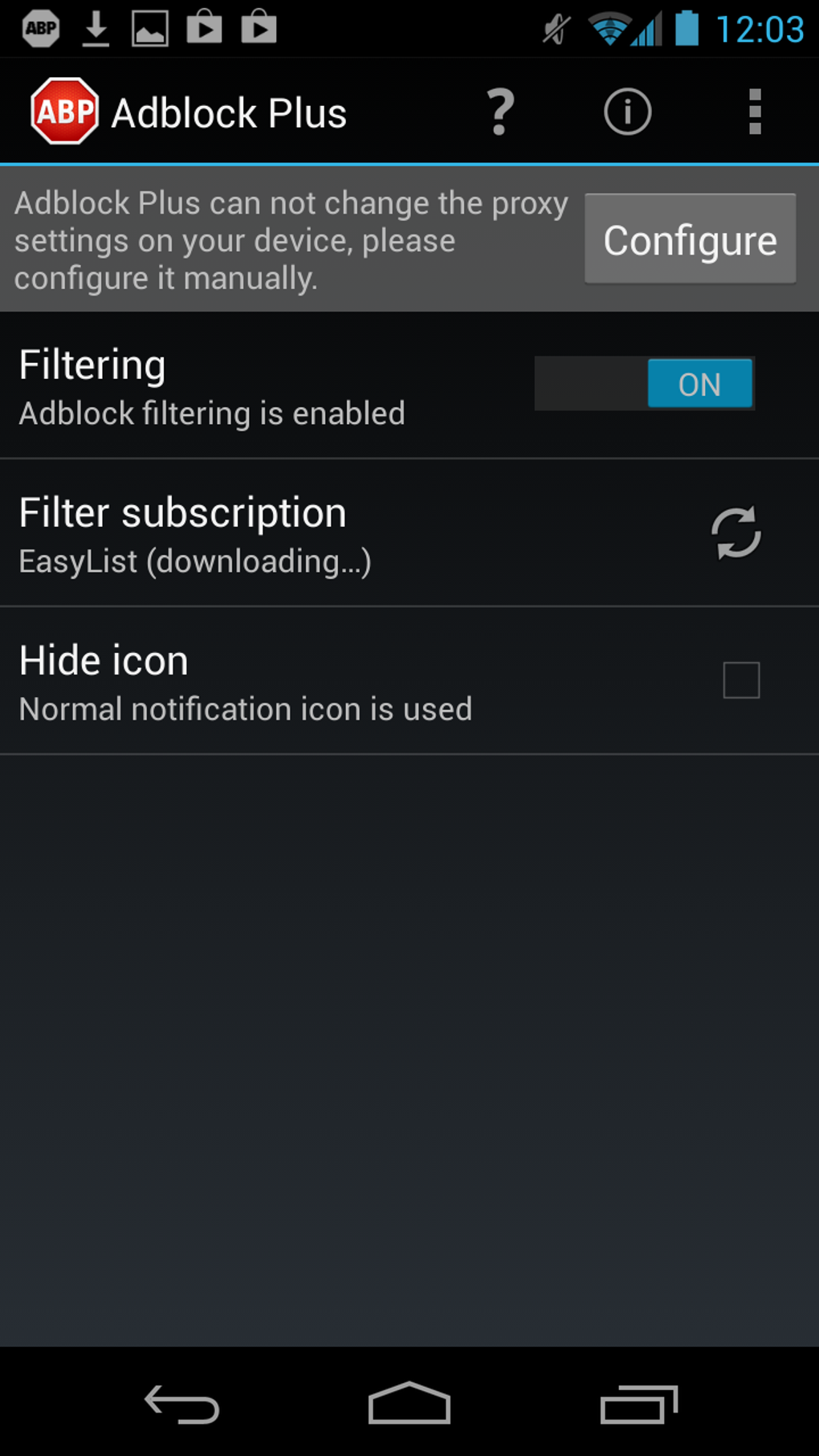
The user interface of Adblock Plus is intentionally minimal, focusing on simplicity and ease of use. Navigation is straightforward, with main settings accessible through a single menu. The interface uses the Holo theme, providing a clean and modern look consistent with Android design standards.
Users can configure proxy settings and filter lists with minimal technical knowledge, thanks to guided dialogs. However, the persistent notification icon, which cannot be disabled, may be seen as intrusive by users who prefer a clean notification shade. This design choice is intended to prevent the app from being terminated by the operating system, ensuring continuous ad blocking.
Performance observations are based on general software behavior patterns; the app runs in the background and consumes system resources while active. The developer did not specify resource usage details. Battery drain has been reported by some users, though it may vary by device and usage.
Stability is generally maintained after recent fixes, particularly around proxy reactivation and filter updates. Overall, the workflow is efficient for basic ad-blocking tasks, but the lack of customization and persistent notification may affect user satisfaction.
Compatibility & System Requirements
Adblock Plus is designed for Android devices, with support for version 3.0 and above. The installation size is 1.5 MB, indicating a lightweight footprint. The software is compatible with both rooted and non-rooted devices, though functionality differs significantly between the two.
Rooted devices can block ads on mobile data, while non-rooted devices are limited to Wi-Fi. The developer did not provide additional system requirements. Compatibility with specific device models or Android versions beyond 3.0 was not specified.
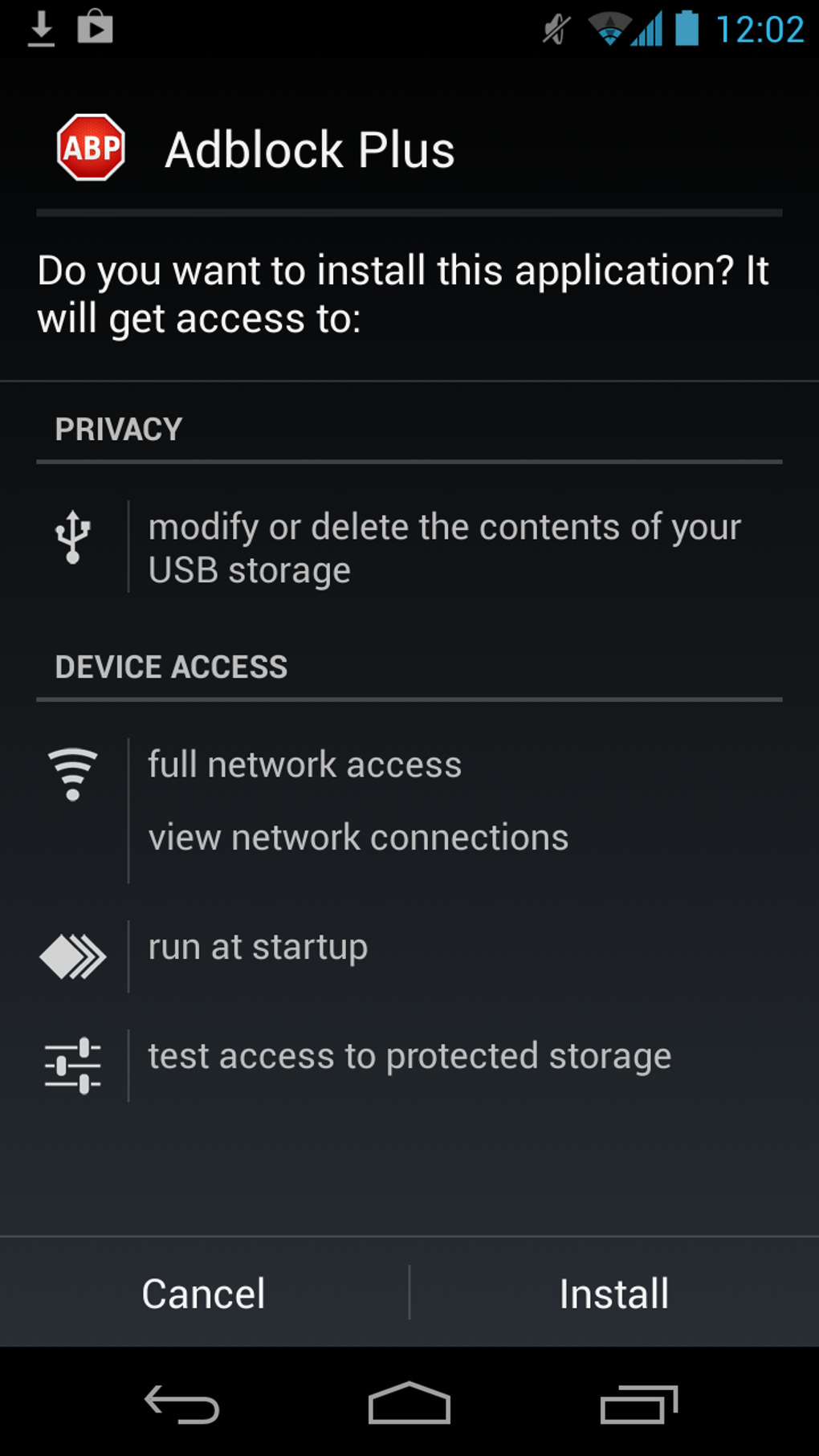
Installation is straightforward, and the app integrates with the system proxy settings when permitted. For users without root access, the app may require manual configuration in certain network environments. The developer has implemented fixes for proxy issues on specific devices, improving reliability across a broader range of hardware.
Pros and Cons
Pros
- Free to download and use with no in-app purchases
- Simple, intuitive interface suitable for non-technical users
- Effective ad blocking in browsers and many apps
- Regular updates with bug fixes and stability improvements
- Supports both Wi-Fi and mobile data blocking (on rooted devices)
Cons
- Persistent notification icon cannot be removed
- Non-rooted devices cannot block ads on mobile data
- Some apps still display ads despite configuration
- Potential for increased battery drain
- Limited customization options (e.g., no per-app ad allowance)
FAQ Section
Is Adblock Plus available on the Google Play Store?
Adblock Plus has been removed from the Google Play Store. Users can download the app directly from the developer’s official website.
Does Adblock Plus require root access?
Root access is not required for basic functionality, but it is necessary to block ads on mobile data. Without root, the app only blocks ads when connected to Wi-Fi.
Is Adblock Plus safe to use?
Yes, the app is developed by Eyeo GmbH, a reputable company in digital privacy. It does not collect user data or install malicious components.
Can I update Adblock Plus automatically?
Yes, the app includes automatic update functionality to ensure the latest filter lists and security patches are applied.
Can I use Adblock Plus offline?
Yes, once installed and configured, Adblock Plus can function offline. However, filter list updates require an internet connection.
Final Thoughts + CTA
Adblock Plus delivers on its core promise of system-wide ad blocking for Android, offering a free and accessible solution for users seeking a cleaner mobile experience. While it excels in browser ad blocking and maintains a simple interface, its limitations—especially the requirement for root access to block mobile data ads and the persistent notification—diminish its overall appeal. The app is a viable option for non-rooted users who rely on Wi-Fi, but rooted users may find better alternatives.
Despite its quirks, the software remains a solid choice for those prioritizing privacy and ad-free browsing. With regular updates and a focus on stability, it continues to evolve. Download Adblock Plus now to enhance your Android experience with reliable ad blocking.





.png)

